Adding your socials
Add Instagram, TikTok, Discord and nearly 70 platforms, as an icon or a button.
Updated October 22, 20262 min read
You manage your socials in Links (slaze.cc/dashboard/links).
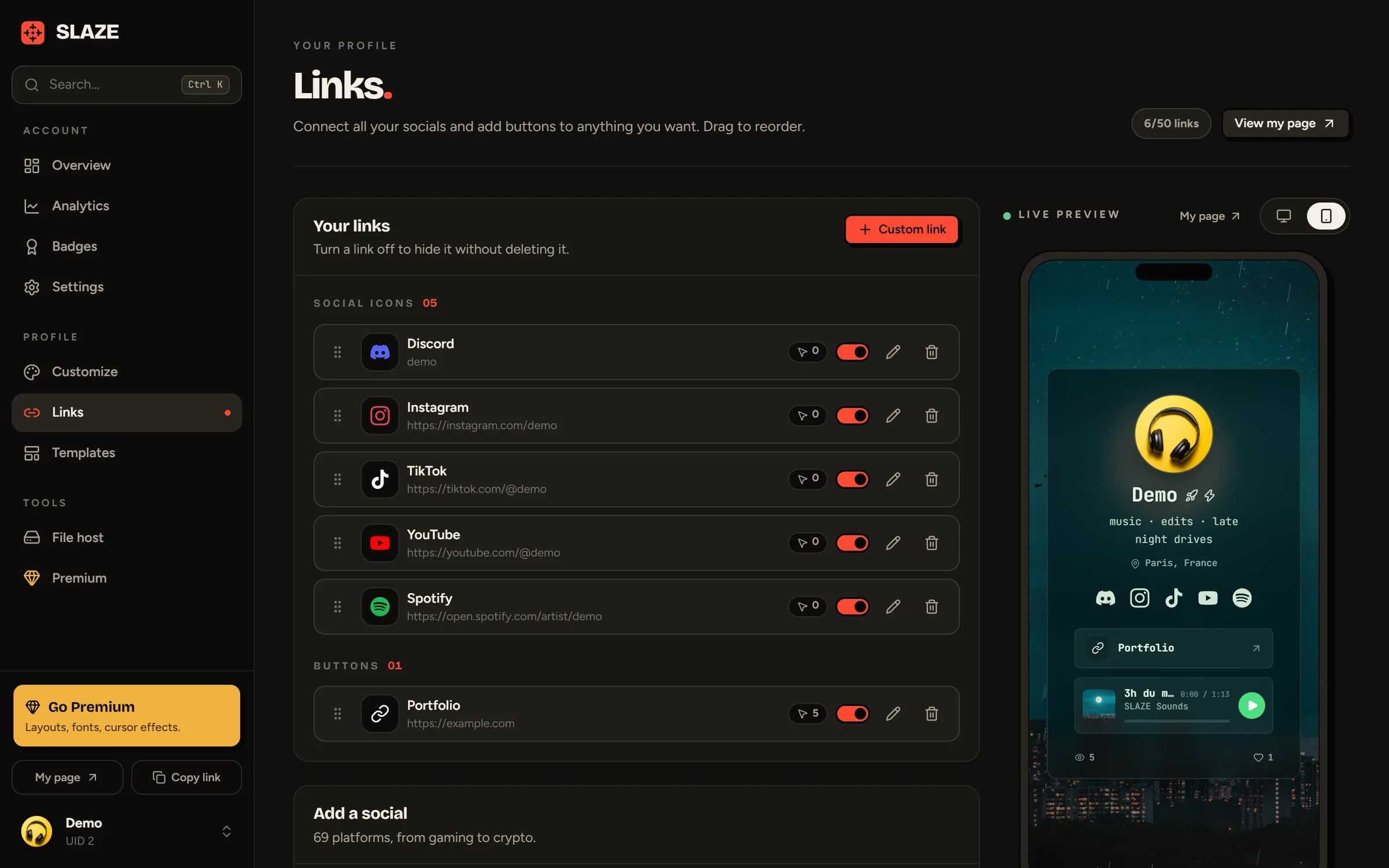
Adding a social
- In Add a social, search for your platform (Instagram, Steam, PayPal…) or browse the categories: social networks, creators, music, gaming, developers, payments & support, crypto, other.
- Click it. A window opens.
- Enter your username or paste your full profile address: SLAZE builds the right link (an
@at the start is removed). The line under the field shows you the final link. - Pick the Display (see below), then click Add.
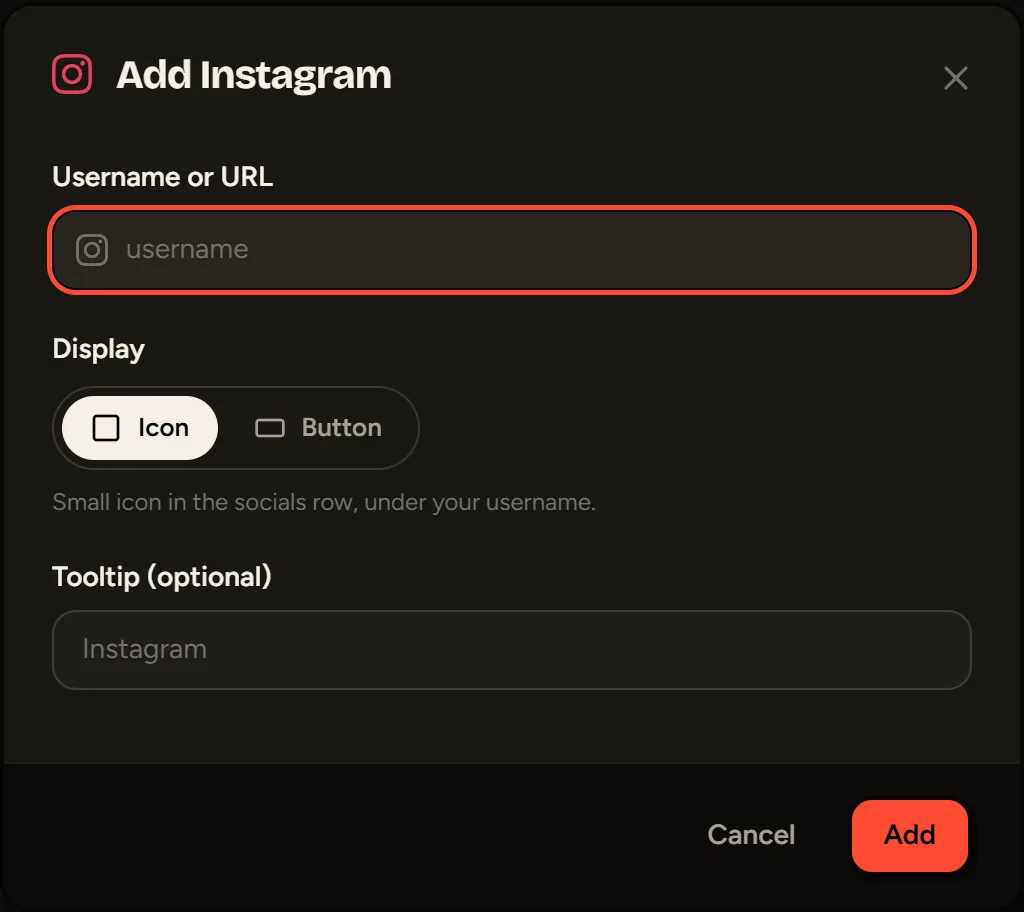
Icon or button
- Icon: a small icon in the socials row, under your username. The text you enter becomes the tooltip on hover.
- Button: a full-width button with a title, under your socials.
Icons and buttons are ordered separately. To switch a link from one to the other, edit it and change its Display.
Click-to-copy platforms
For some accounts that don’t have a web page (PlayStation, Xbox, Epic Games, Riot Games, Battle.net) and for crypto addresses (BTC, ETH, LTC, SOL, XMR, XRP), nothing opens: the visitor clicks to copy the value.
For Discord, paste an invite (discord.gg/…) to open your server, or your Discord username so it gets copied on click.
Email opens the visitor’s email app with your address.
Managing your links
Each link shows its number of clicks. You can:
- disable it with the switch to hide it without deleting it;
- edit or delete it (its click stats are deleted with it);
- move it with the ⋮⋮ handle.
Your first link gets you the First Blood badge.
Limits
50 links for free, 100 with Premium. Disabled links count toward the limit.
Still stuck?
Email us and describe the problem: we’ll reply by email, in English or French.