Your profile in 5 minutes
The fastest way to a page that looks great: a template, your avatar, your links, and you’re live.
Updated October 22, 20261 min read
No need to set everything by hand: start from a template and your profile is ready in a few minutes. You can tweak it all afterwards.
1. Pick a template
Open Templates in the menu. Browse the library, click a template to see it full size, then click Use.
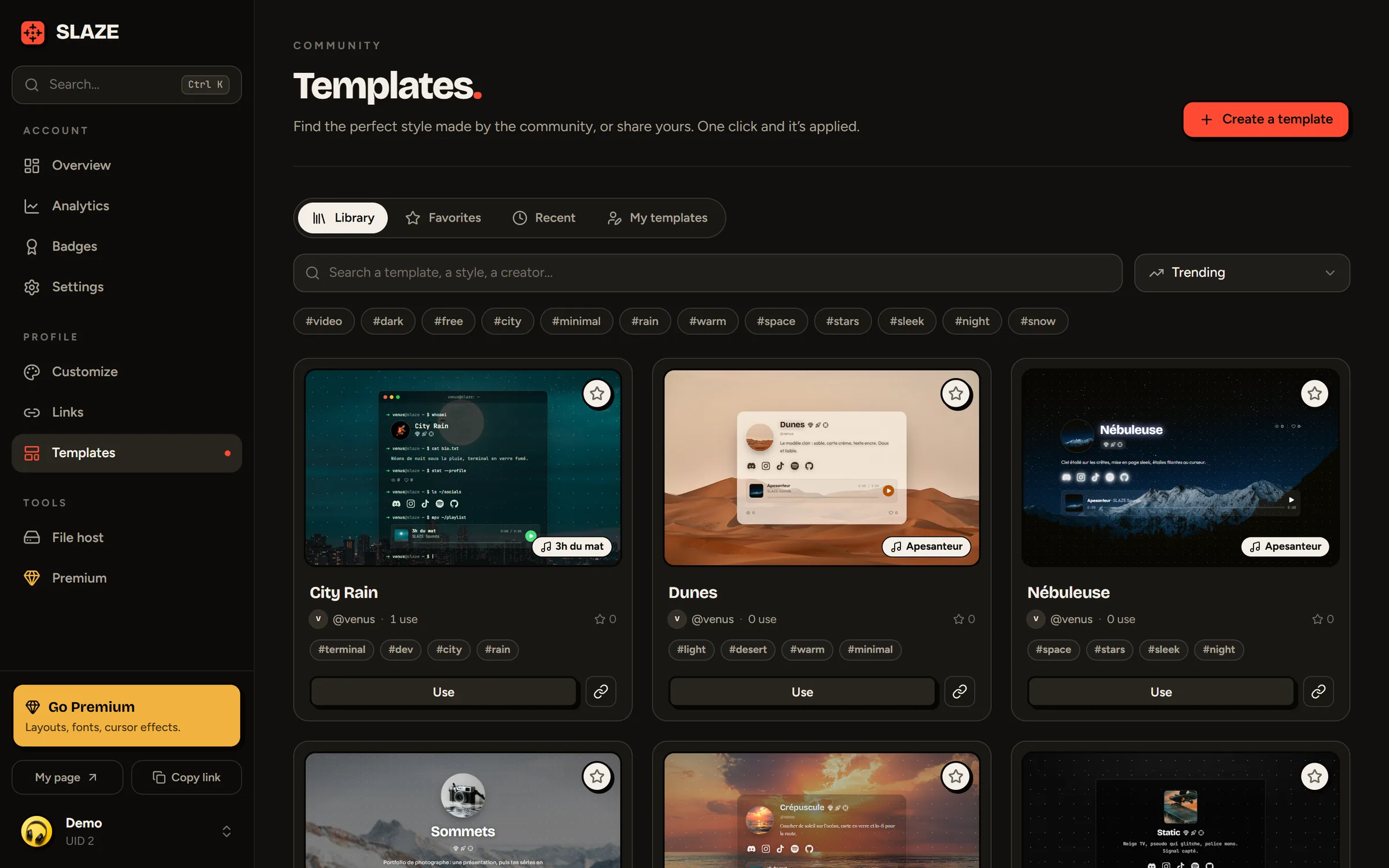
The template replaces your style (layout, colors, background, effects, music…) but keeps your avatar, your description, your links and your Discord presence. The details are in Templates.
2. Add your avatar and description
Open Customize. In the Media section, drag your image into the Avatar box. In the Profile section, write a few words in Description (300 characters max).
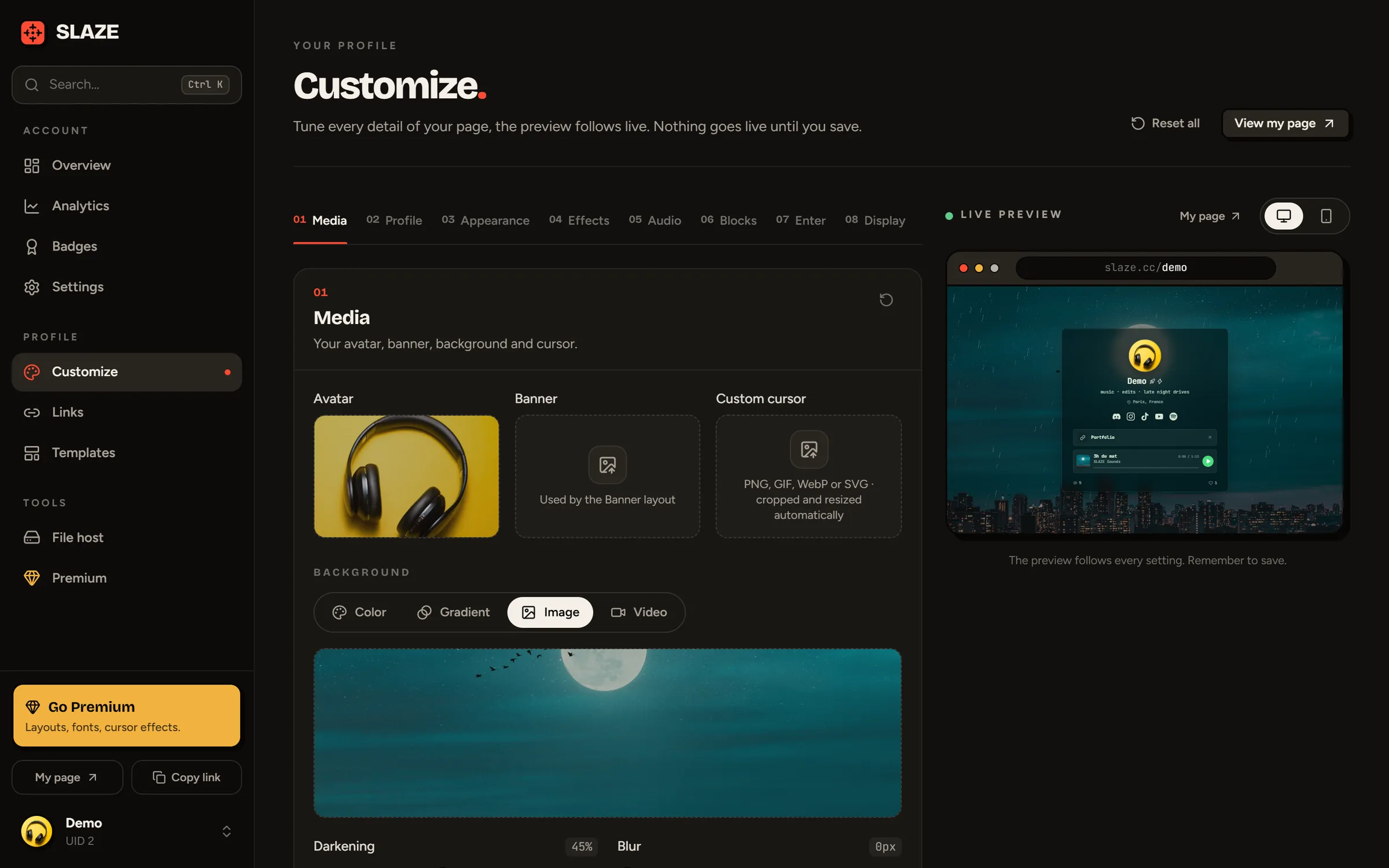
3. Save
In the editor, nothing goes live until you save. As soon as you change something, a bar shows up at the bottom of the screen: click Save (or press Ctrl S).

4. Add your socials
Open Links. In Add a social, search for your platform (Instagram, TikTok, Discord…), enter your username and confirm. Links are saved right away, no button to click. See Add your socials.
5. Share your link
Your profile is live at slaze.cc/yourname. Copy it with the Copy link button at the bottom of the menu and put it in your bios. See Share your profile.
Still stuck?
Email us and describe the problem: we’ll reply by email, in English or French.