Your badges
The list of badges, how to get them, and how to choose which ones show and in what order.
Updated October 22, 20262 min read
Badges show next to your name on your profile. You manage them in Badges (slaze.cc/dashboard/badges).
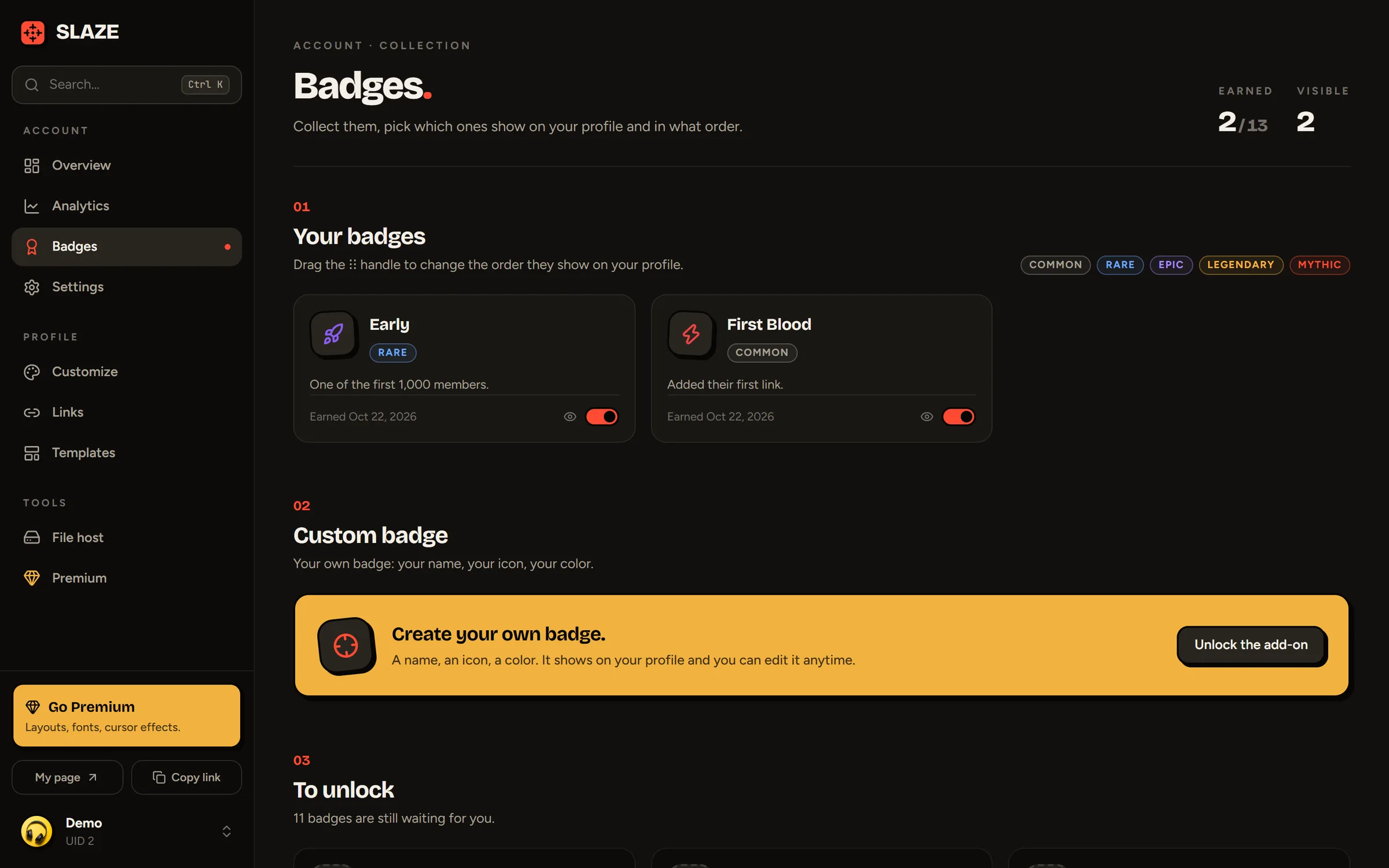
Reordering and hiding
- Change the order: grab a badge by its ⋮⋮ handle and drag it. On a phone, the handle is always visible.
- Hide a badge: click the eye on its card.
How to get each badge
| Badge | Rarity | How to get it |
|---|---|---|
| Early | Rare | Automatic: the first 1,000 accounts |
| First Blood | Common | Automatic: your first link |
| On Target | Common | Automatic: 100 profile views |
| Sharpshooter | Epic | Automatic: 1,000 profile views |
| Legend | Legendary | Automatic: 10,000 profile views |
| Creator | Rare | Automatic: publish a public template |
| Premium | Epic | With Premium |
| Verified | Legendary | With the Verified add-on |
| Staff, Founder | Mythic | The SLAZE team |
| Bug Hunter | Epic | Given by the team when you report a major bug or security flaw |
| Partner | Legendary | Given to official SLAZE partners |
| Donor | Rare | Given by the team to people who support SLAZE with a donation |
The To unlock section of the Badges page shows the ones you’re missing and how to get them. Some badges can also be earned with a code handed out during an event: see Gift links and codes.
Showing badges
In Customize:
- Display → Badges hides all your badges (Premium).
- Display → Colored badges shows them in their real color (Premium). Otherwise, they take your text color and show their color on hover.
- Effects → Glows → Badges adds a glow (free).
Still stuck?
Email us and describe the problem: we’ll reply by email, in English or French.