Add music
Your playlist on your profile, the supported formats and the playback settings.
Updated October 22, 20261 min read
Your playlist plays when a visitor enters your profile. You set it in Customize → Audio.
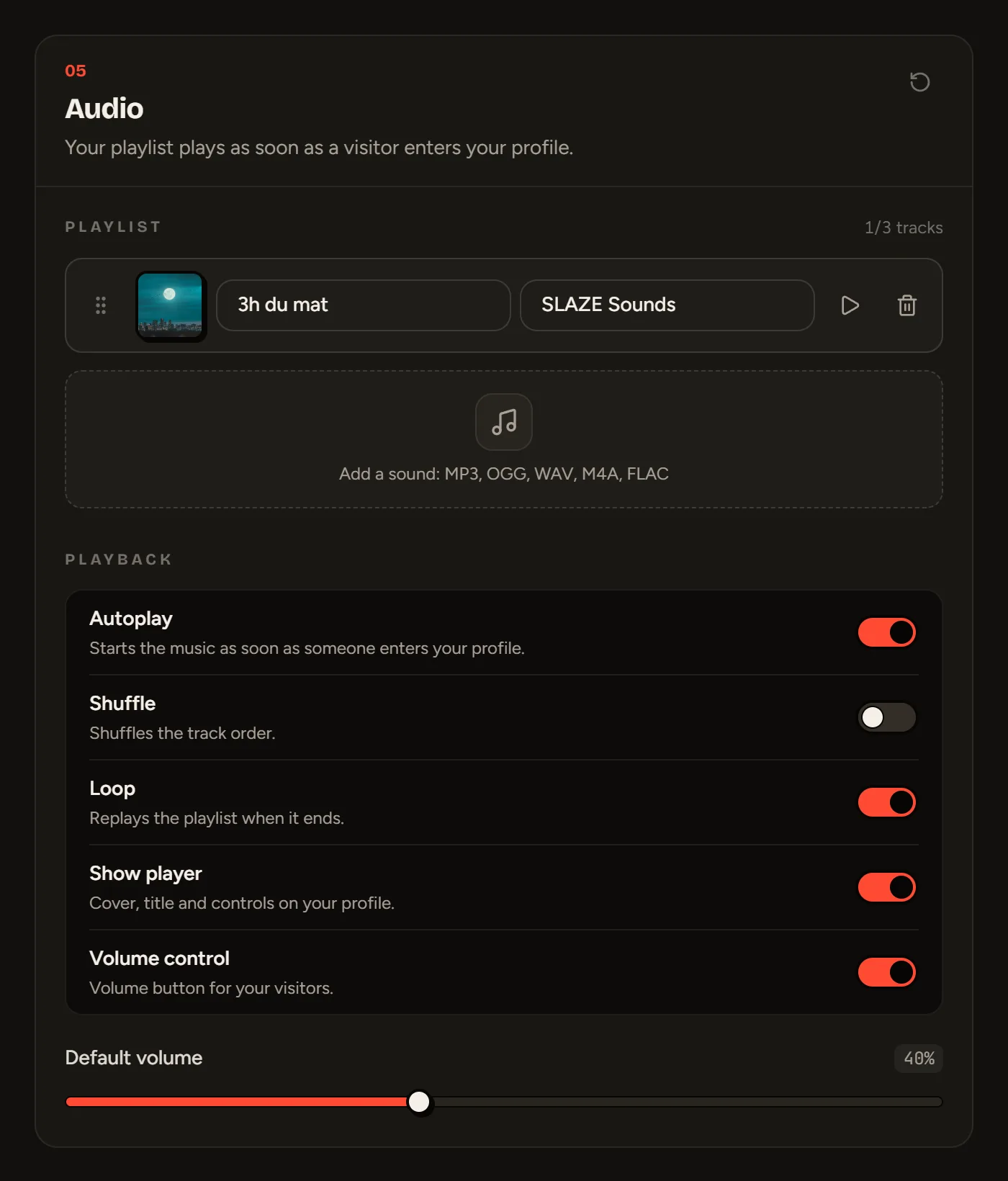
Add a track
- Drag a file into the Add a sound area: MP3, OGG, WAV, M4A or FLAC.
- The title comes from the file name: fix the Title and Artist if needed.
- Click the cover to add one.
- Reorder the tracks with the ⋮⋮ handle.
- Save your profile.
You can add 3 tracks for free and 10 with Premium. Each file can weigh up to 15 MB (50 MB with Premium).
Playback
| Setting | Default | Effect |
|---|---|---|
| Autoplay | On | The music starts as soon as someone enters |
| Shuffle | Off | Shuffled order |
| Loop | On | Starts over after the last track |
| Show player | On | The player is visible on your page |
| Volume control | On | The volume button at the top left |
| Default volume | 50% | The volume when it starts |
Rights
Only upload music you have the right to share. Content that doesn’t respect copyright can be removed.
Still stuck?
Email us and describe the problem: we’ll reply by email, in English or French.